
CakePHP on Cloudjiffy
CakePHP is a rapid development framework for PHP which uses commonly known design patterns like Associative Data Mapping, Front Controller, and MVC. It makes common web-development tasks simple and easy with its customized tool. Start with various parts of CakePHP working well together or separately in an all-in-one toolbox. Salient Features:
- No configuration.
- Clean MVC Conventions
- Built-in packages for translations, database access, validation, and authentication.
- No complicated XML or YAML files, just a setup of a database is needed.
- Friendly license for commercial applications.
- Secure.
- Premium support.
Key differences between Laravel vs CakePHP Both Laravel and CakePHP are popular choices in the market; let us discuss some of the major Difference Between Laravel vs CakePHP:
- Laravel works on the object-oriented model, while CakePHP works on the document-oriented database model.
- Laravel is based on Model View Controller (MVC) architecture, while CakePHP is implemented on hierarchical model View Controller (HMVC) architecture
- Laravel is not suitable for smaller projects and becomes a bit complex for the same, while CakePHP is much more suitable for building smaller projects.
- From a security benchmark, CakePHP plays a crucial role than Laravel.
- CakePHP is a more convenient choice than of Laravel in terms of routing perspective.
- From a scaling perspective, Laravel hits the rise over the CakePHP framework and this happens more while considering the construction of large projects.
- Laravel Framework is a much better choice than CakePHP in case of fast web development, Enhancement perspective, a data backup, and handling perspective.
- In the case of Laravel, there is a compiler functionality found, while no such function is present for CakePHP.
Requirements:
- HTTP Server. For example Apache mod_rewrite (optional), Nginx, or Microsoft IIS.
- Minimum PHP 7.2 (7.4 supported).
- mbstring PHP extension
- intl PHP extension
- simplexml PHP extension
- PDO PHP extension
Note: After enabling extensions in the php.ini file, restart the app server. To enable extensions refer to the below link: https://cloudjiffy.com/portal/knowledgebase/152/Extensions-in-PHP.html How to install Cakephp on CloudJiffy? STEPS – Step 1: Login to CloudJiffy. Go to https://app.cloudjiffy.com/ Login using your credentials. Step 2: Create Environment with Apache server and DB server Click on New Environment > Select Apache and DB server 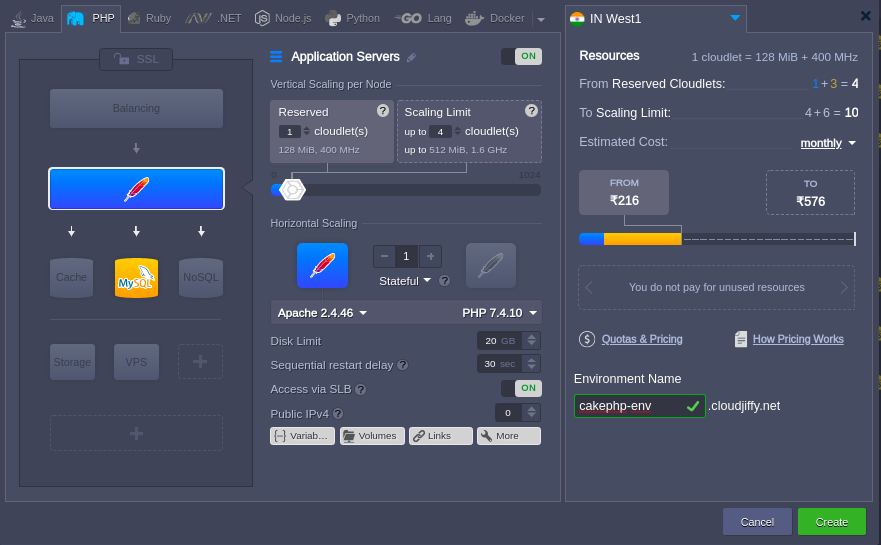 Note: You will get the PHPMyAdmin link and its credentials on the registered email id. Create the database. Step3: Installation of CakePHP Take the webssh of the app server and do the following commands: cd /var/www/webroot/ROOT/ composer create-project —prefer-dist cakephp/app:4.0.3 cakephp4
 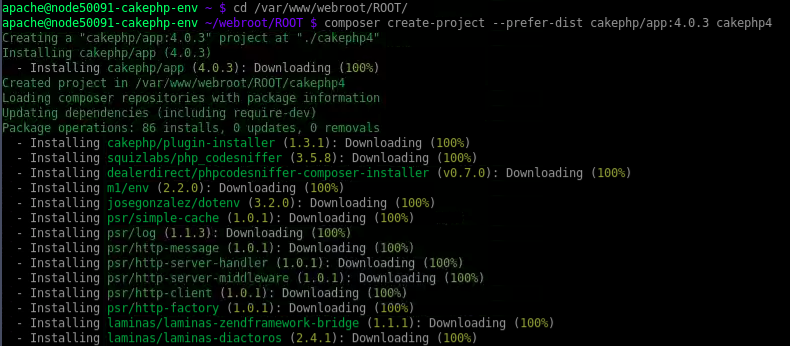 In the end, it will ask for Set Folder Permissions.
 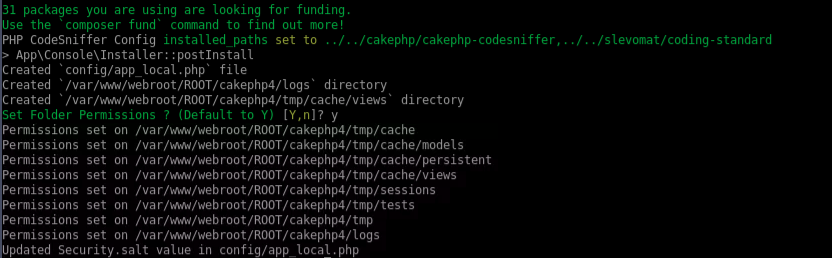 Note: Change ‘httpOnly’ to ‘httponly’ in /var/www/webroot/ROOT/cakephp4/config/routes.php as Option ‘httpOnly’ is deprecated. Now you can open the link in the browser: http://env-name.cloudjiffy.net/cakephp4/
 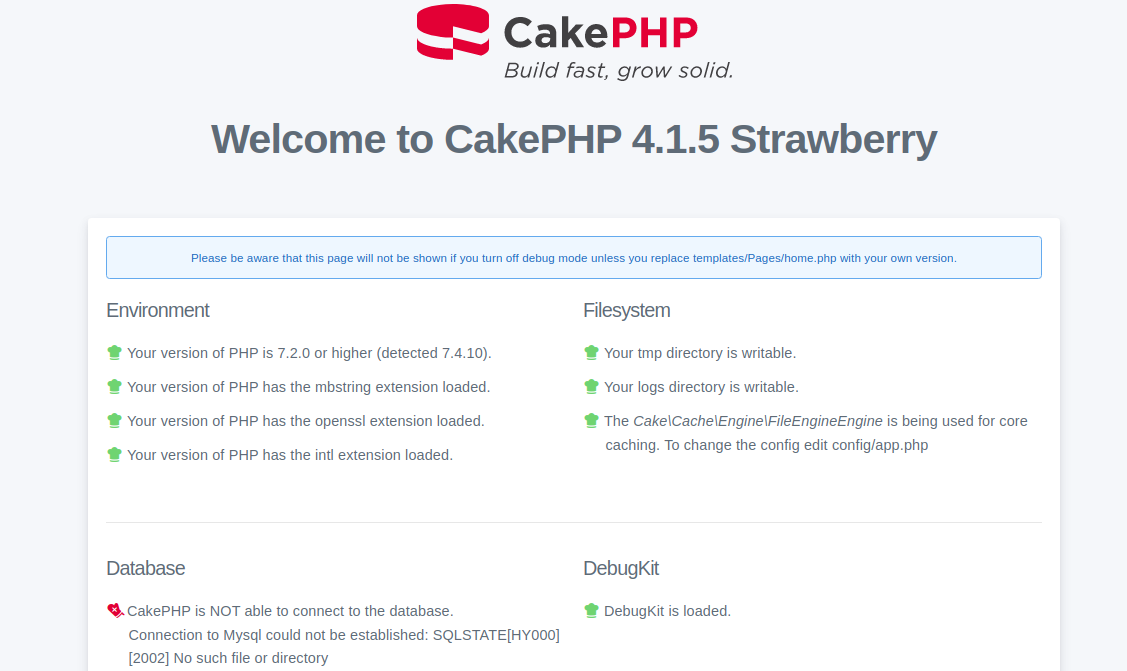 CakePHP is not able to connect to the database. Let’s connect the database to the CakePHP. Step 4: Database Connection The database can be configured in config/app.php and config/app_local.php file. This file contains a default connection with the provided parameters, which can be modified as per our choice. config/app_local.php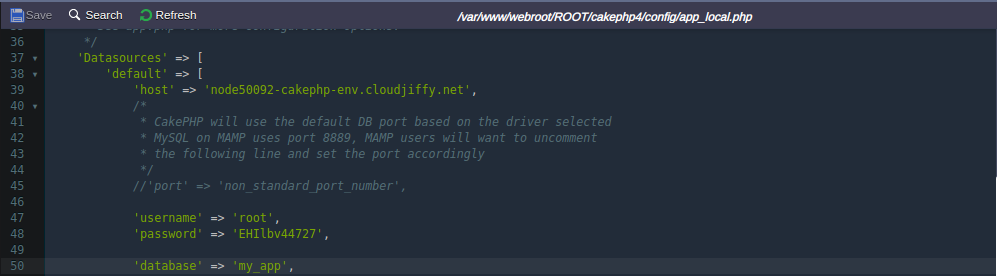
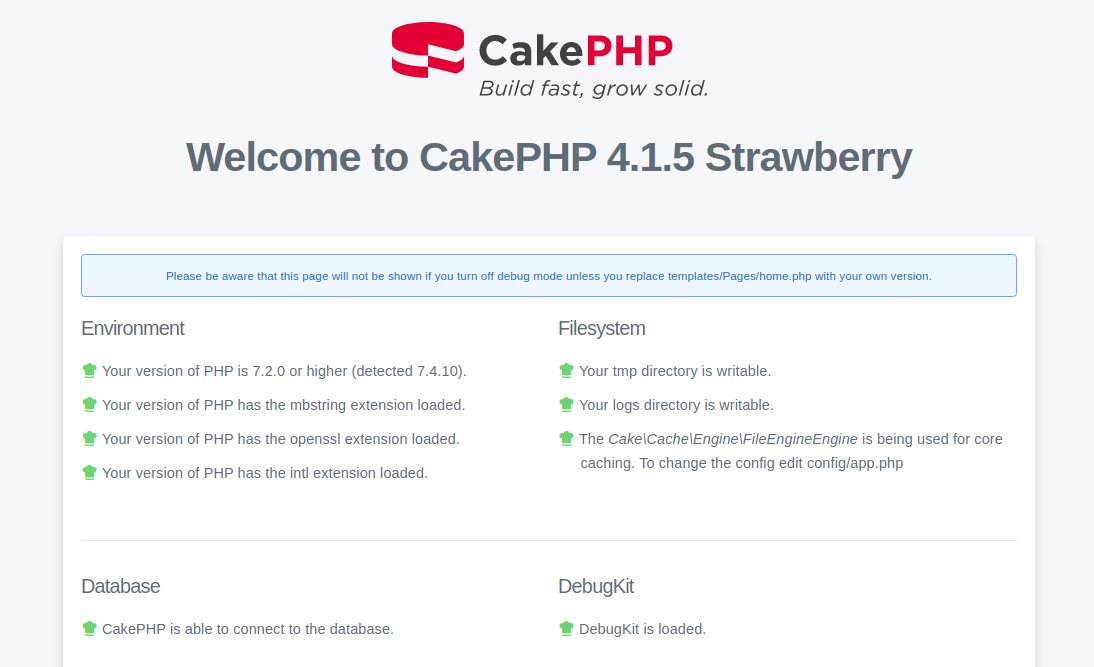 Now we can see that the CakePHP is able to connect to the database. Don’t have a CloudJiffy account? Visit https://cloudjiffy.com and click on Free Signup for free 14 days trial.
Ready to deploy on Cloudjiffy?
Start your 14-day free trial — no credit card required.
Create free account